GIMMICK WHITEBOARD
エディタを開くOpen the editor

ギミックの動きを、
盤面で伝える。
Show the mechanic on the board.

Gimmick Whiteboard は、レイドやボス戦の散開図・攻略図をブラウザで作って共有できるツールです。フィールドにメンバーと攻撃範囲を置き、ステップごとに動かして、リンクひとつで仲間に渡せます。

Gimmick Whiteboard is a browser tool for drawing raid and boss-fight strategy diagrams. Place your party and the attack ranges on the field, move them step by step, and hand the whole plan to your group with a single link.

登録不要・無料。パソコンのブラウザ向けです。No account, no cost. Made for desktop browsers.

Features

できることWhat it does
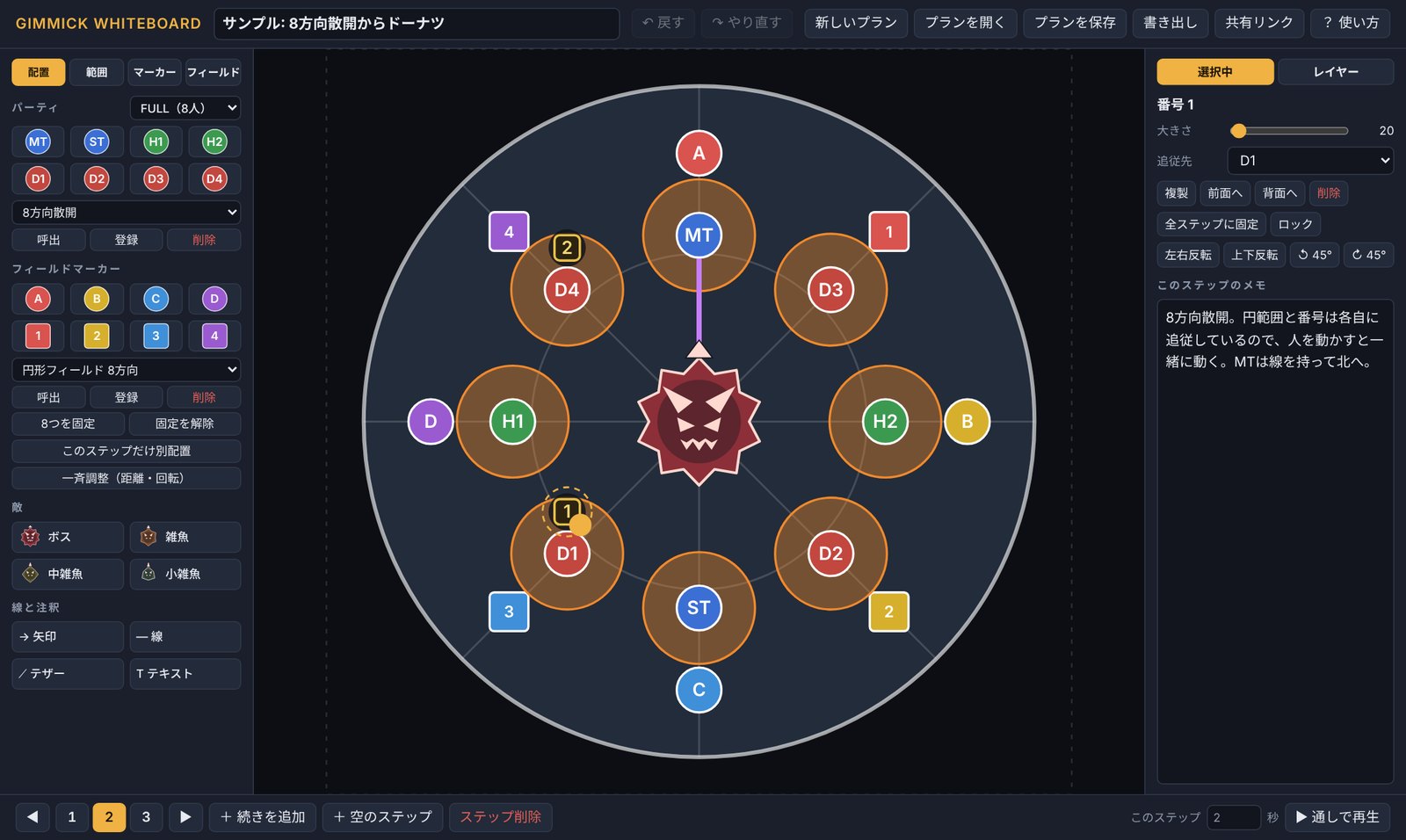
エディタの画面。左に配置するものの一覧、中央にフィールド、右に選んだものの設定が並ぶ

置いて、動かして、整えるPlace, drag, align

左の一覧から追加し、ドラッグで配置します。ほかのものやフィールドの線に吸い付くので、手作業でもきれいに並びます。円形・直線・格子への整列や、左右の反転もひと押しです。

Add pieces from the list and drag them into position. They snap to each other and to the field's lines, so a hand-made layout still comes out tidy. Arrange a selection into a ring, a line or a grid, or mirror it, in one press.
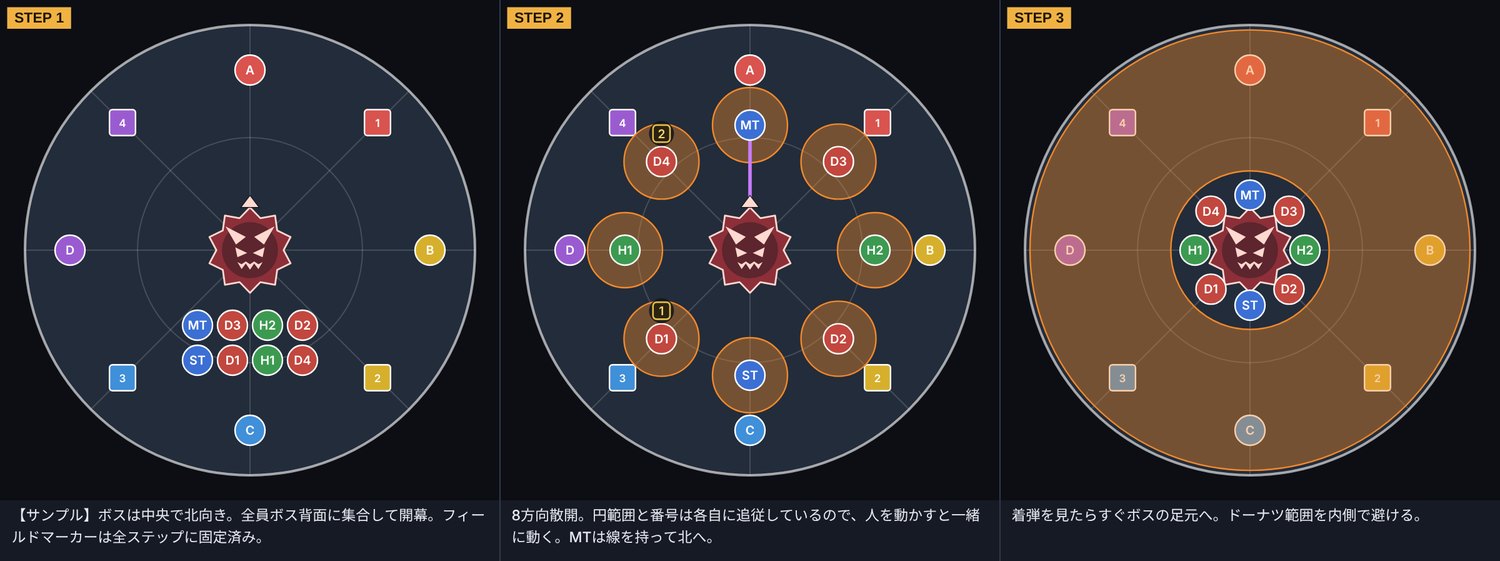
3つのステップを横に並べて書き出した図。各ステップの下にメモが入っている

ステップで流れを見せるTell it in steps

配置を引き継いで次のステップを作り、通しで再生すると位置がなめらかに動きます。ステップごとのメモと表示秒数も決められます。全ステップをまとめた1枚の画像や、動画にも書き出せます。

Carry a layout into the next step and play the sequence: positions glide from one step to the next. Each step has its own note and duration. Export a single sheet of every step, or a video.
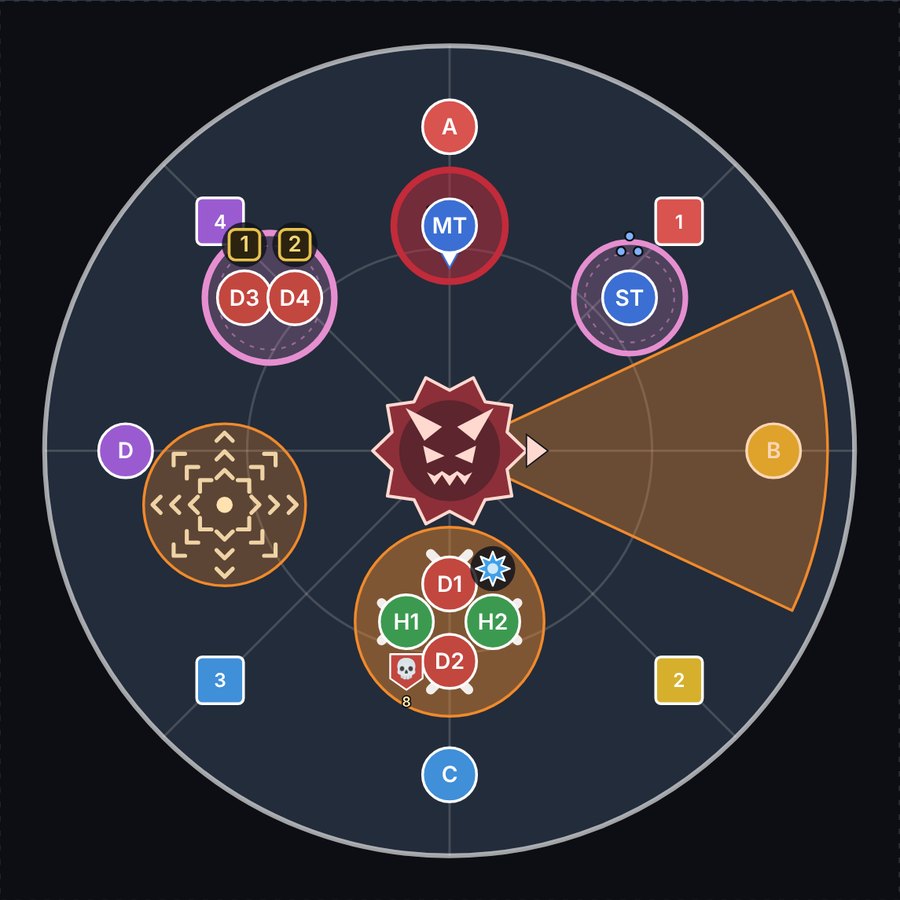
扇範囲、塔、頭割り、ノックバックなどの攻撃範囲と、メンバーに付いた番号やデバフの例

攻撃範囲とマーカーRanges and markers

円・扇・直線・ドーナツ、頭割り、塔、ノックバック、視線などの予兆をそろえています。番号、さいころ、デバフなどはメンバーに付けられ、動かすと一緒に付いてきます。

Circles, cones, lines and donuts, stacks, towers, knockbacks, gazes and more. Numbers, dice and debuffs attach to a party member and move with them.
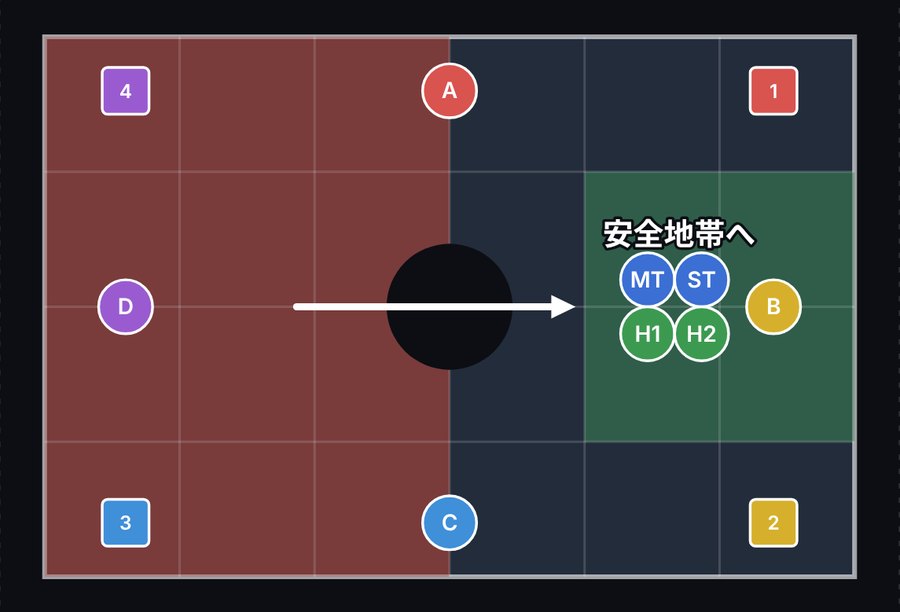
横長の四角いフィールド。左半分のマスが赤く塗られ、中央に穴があり、右側に安全地帯が示されている

フィールドを作るBuild the field

円形・四角の大きさと分割、マスごとの色分け、床パーツの組み合わせとくり抜きができます。任意の背景画像も敷けて、ステップごとに切り替えられるので、ステージが変形するギミックも描けます。

Size and divide a round or square arena, colour its cells, combine floor pieces or cut holes in them. Lay any background image, and switch it per step for fights where the stage changes shape.

共有リンクShare links

保存すると短いリンクができ、開いた人は背景ごと同じプランを見られます。

Save a plan to get a short link. Whoever opens it sees the same plan, background included.

基本配置の登録Saved layouts

よく使う散開位置やマーカーの配置を名前付きで登録し、ひと押しで呼び出せます。

Keep your usual spread positions and marker layouts under a name and recall them in one press.

画像と動画Images and video

今のステップ、全ステップのまとめ、通し再生の動画。メモを図の下に入れられます。

The current step, a sheet of all steps, or the full playback as a video, with notes under the diagram if you like.

レイヤーとロックLayers and locks

重なりの順番をドラッグで変更。動かしたくないものは固定できます。

Drag to change what sits on top. Lock anything that should stay put.

How to

最初の1本を作るYour first plan

  1. 1

    フィールドを決めるSet the field

    「新しいプラン」で、形と分割、フィールドマーカー、パーティ構成、散開位置を選びます。

    In "New plan", choose the shape and divisions, field markers, party size and starting positions.

  2. 2

    配置するPlace things

    敵や攻撃範囲を一覧から追加し、ドラッグで位置を決めます。色や大きさは右側で変えられます。

    Add enemies and attack ranges from the list and drag them into place. Change colour and size on the right.

  3. 3

    ステップを足すAdd steps

    「続きを追加」で次の場面を作り、動く人だけ動かします。場面ごとにメモを書けます。

    Press "Continue" to make the next scene and move only who moves. Write a note for each scene.

  4. 4

    共有するShare it

    「共有リンク」でリンクを作って渡すか、「書き出し」で画像や動画にします。

    Make a link with "Share link", or export an image or a video.

Notes

お知らせと注意書きNews and notes

お知らせNews

  • 公開しました。First release.

ご利用の前にBefore you use it

  • 個人が作った非公式のファンメイドツールです。ゲームの開発・運営会社とは関係がなく、公式のサポートもありません。
  • ゲーム内の画像やアイコンは収録していません。背景画像を読み込む場合は、各ゲームの利用規約とガイドラインに従ってください。
  • 共有リンクを作ると、プランと背景画像がサーバーに保存され、リンクを知っている人は誰でも見られます。個人情報は入れないでください。
  • 保存されたプランは、予告なく削除される場合があります。大事なプランは「プランを保存」でファイルにも残してください。
  • An unofficial, fan-made tool by an individual. It is not affiliated with, or supported by, any game developer or publisher.
  • No in-game images or icons are included. If you load a background image, follow the terms and guidelines of the game it comes from.
  • Making a share link stores the plan and its background image on a server, and anyone who has the link can view it. Do not include personal information.
  • Stored plans may be removed without notice. Keep important plans as a file too, with "Save plan".

不具合の報告やご意見は X の Bug reports and feedback: @YotukakuMarimo まで。 on X.

盤面を開くOpen the board

新しいプランを作るStart a new plan サンプルを見るSee the sample